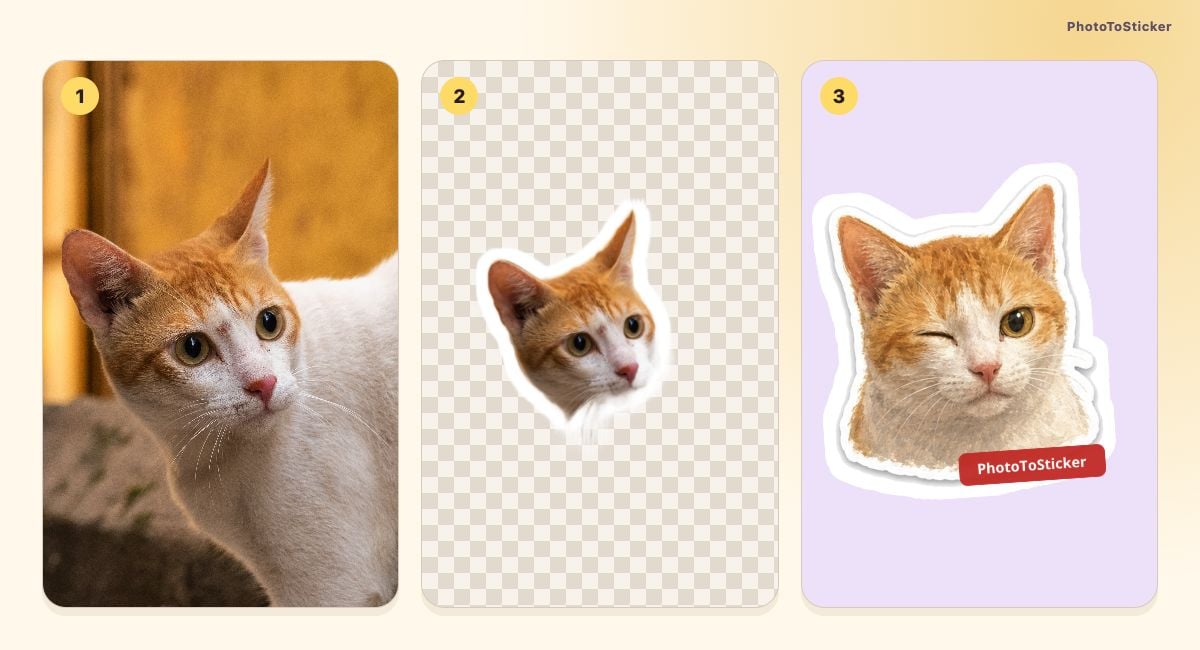
If you want a sticker of the exact look your cat just gave you, start by removing the photo's background. If you want that cat sleeping, celebrating or hiding its face, an AI cartoon pack can draw new reactions. Choose the moment you want to keep before choosing the effect.
The PhotoToSticker studio offers both paths. One makes a free, browser-local transparent PNG from your photo. The other uses your reference to generate sixteen illustrated reactions when you request it. They solve different jobs, as this same-cat example shows.
One cat, two kinds of result
The cover shows the source photo, an actual instant cutout and an existing AI illustration, numbered from left to right. In the photo, the white-and-orange cat tilts its head in front of a gold curtain. The upright ears, pale muzzle, yellow-green eyes and pink nose give us features to compare.
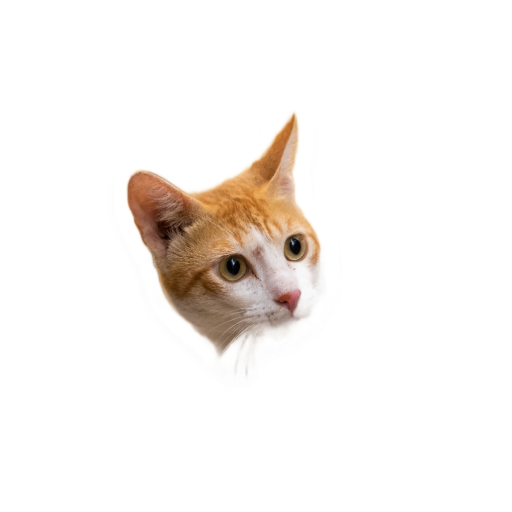
A cutout removes the setting and keeps the photographed head angle and photographic appearance. It does not redraw the cat into a new pose. Our automatic example loses some fine fur detail, so keeping the photo's look still requires checking its edges.
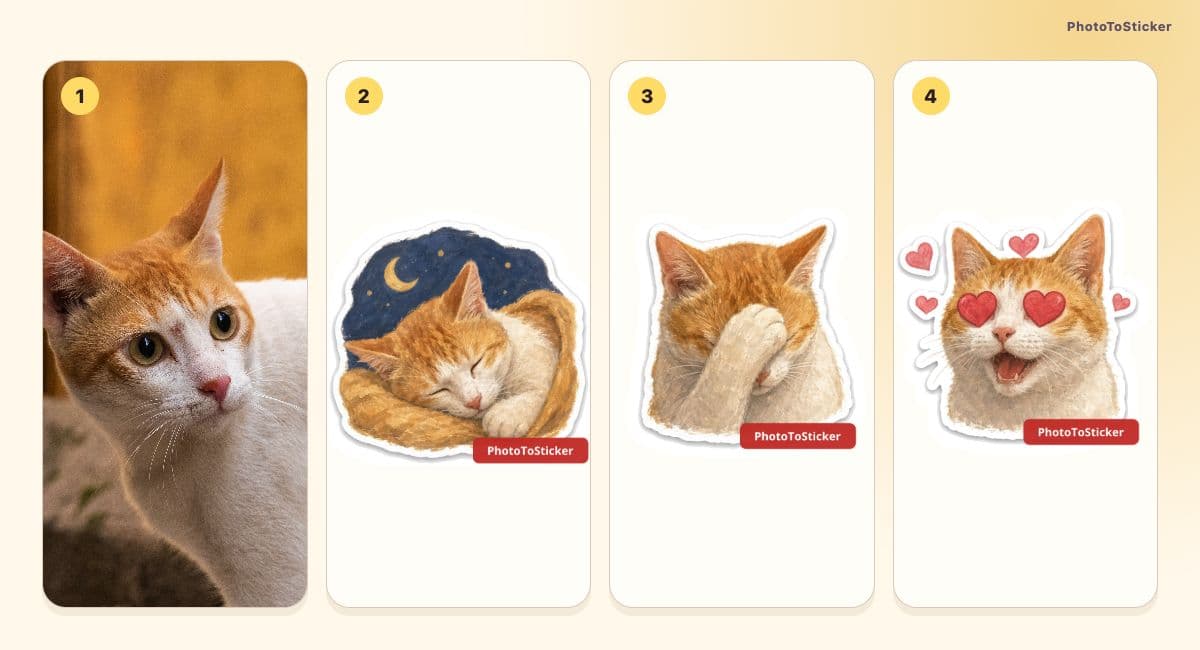
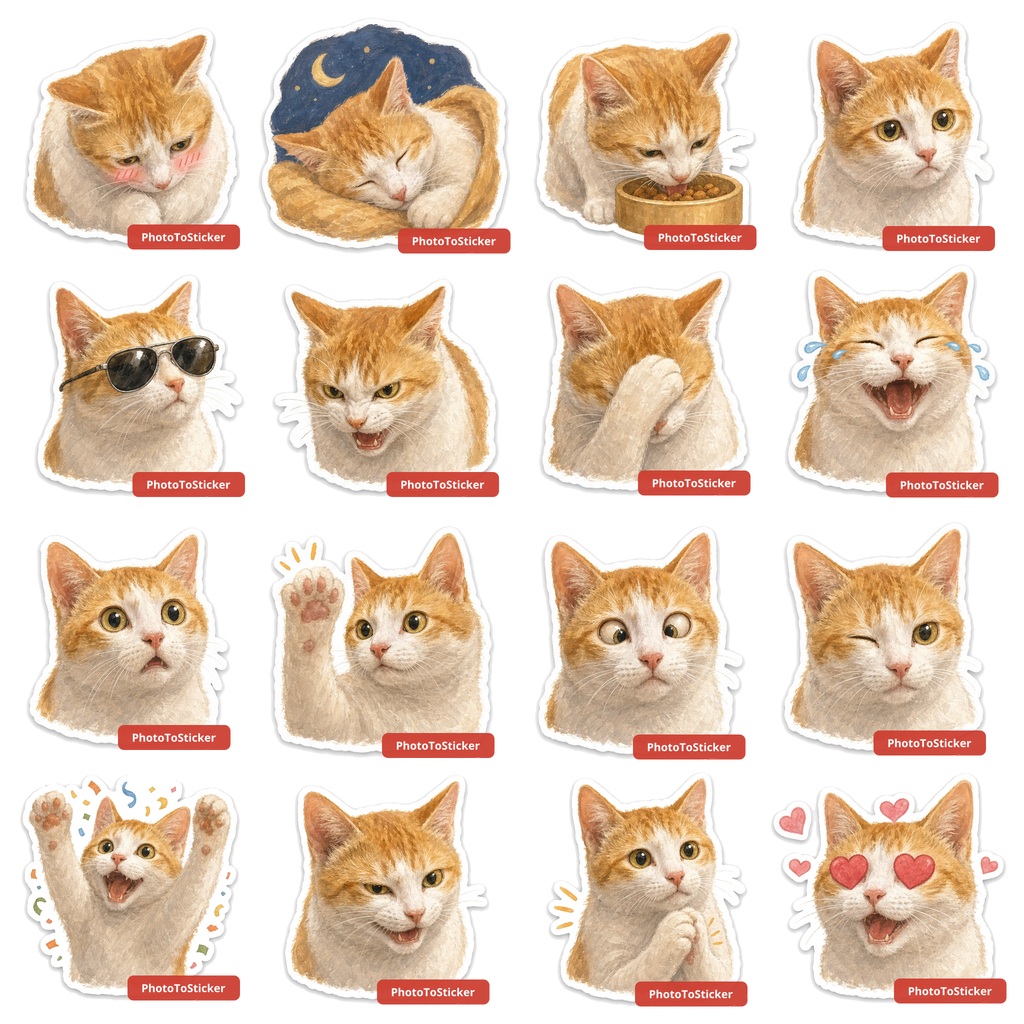
Source photo and three watermarked reactions from the existing Digital Gouache sample, generated on October 22, 2026. These are not new AI results made for this article.
The illustrated pack adds a sleeping scene, a paw over the face and hearts. Those scenes were not photographed. The broad orange-and-white coloring connects the pictures, but it does not prove every patch or proportion matches. Compare the complete existing sheet, especially the ears, nose and muzzle, rather than deciding from one favorite reaction.
The reference photograph is by Janhavi Amin on Pexels, used under its recorded license. The AI sample is a separate PhotoToSticker output.
Choose what must stay the same
For a favorite side-eye, a photo cutout may already say everything you need. For several different replies, you might prefer illustrated reactions—or cut out several different photos you already have.
| What matters most | Original-photo cutout | AI cartoon pack |
|---|---|---|
| The photographed expression | Keeps the source expression and pose | Redraws the subject and can change both |
| Several reactions from one reference | Does not invent new poses | Generates sixteen reactions to review |
| Editing control | Adjust the outline, placement and cutout edges | Choose settings before generating; no manual redraw of each cell |
| Photo handling | Instant processing stays in the browser | Reference is sent for requested generation |
| Getting started | Free PNG, no account required | Sign-in and available generation access required |
The word “AI” alone is not enough to distinguish these tasks. Background separation can also use a model. Ask whether a tool keeps the photographed subject or draws a new interpretation of it.
Make the photo sticker first
Choose a permitted JPG, PNG or WebP up to 15 MB, with the face and identifying markings clearly visible. A white cat against a white blanket gives an automatic cutout a harder edge to find.
- Open the studio, select Choose photo, and wait for the instant PNG to be ready.
- Check the White outline and framing. If needed, open Refine edges: Erase removes leftovers and Restore brings detail back from the original photo.
- Apply any edits you chose to make, check both ears and the muzzle, then select Download PNG.
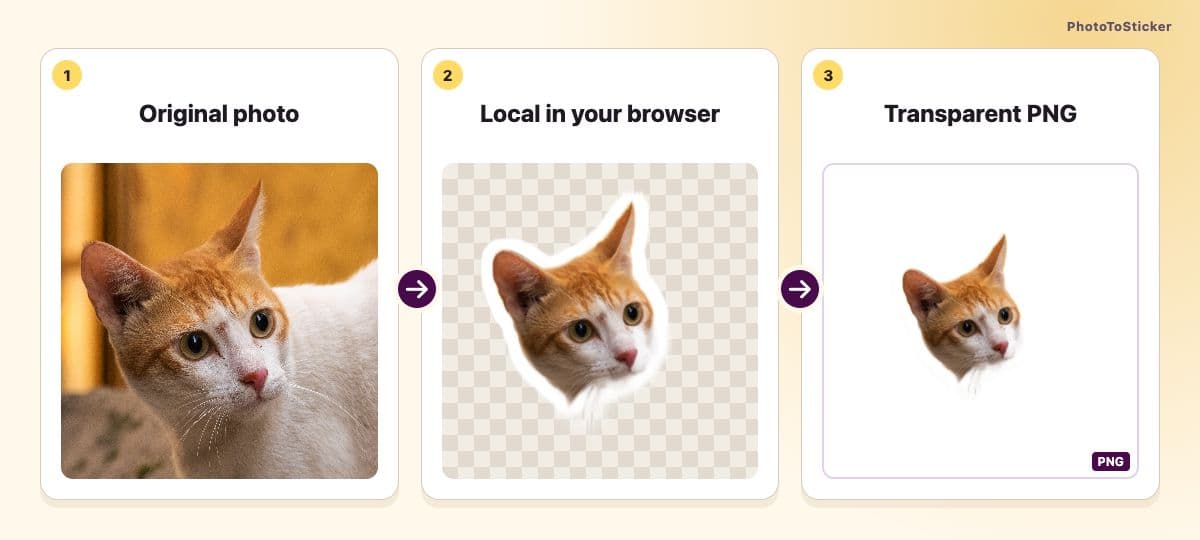
A workflow illustration made with the real source and downloaded cutout, rather than a screenshot of the editor.
Open the actual 512 × 512 instant PNG on light and dark backgrounds. This automatic sample has fine-fur losses; it has not been manually repaired to suggest a perfect result. First use may download processing files, while the photo stays in the browser. Edits to this PNG do not become edits to the original reference used for AI generation.
Request a pack when you want new reactions
Start with a suitable reference and choose Pets under Subject. Pick an available style; the existing sample uses Digital Gouache. Style-reference pictures show the treatment, not a promise of your pet's final pose.
- Sign in and check the current access and price information before starting generation. This is the point where you choose a workflow that sends the reference for processing.
- Review the sixteen reactions against the original. Look for moved markings, changed ear shapes, an unfamiliar nose or a face/body proportion you do not want to keep.
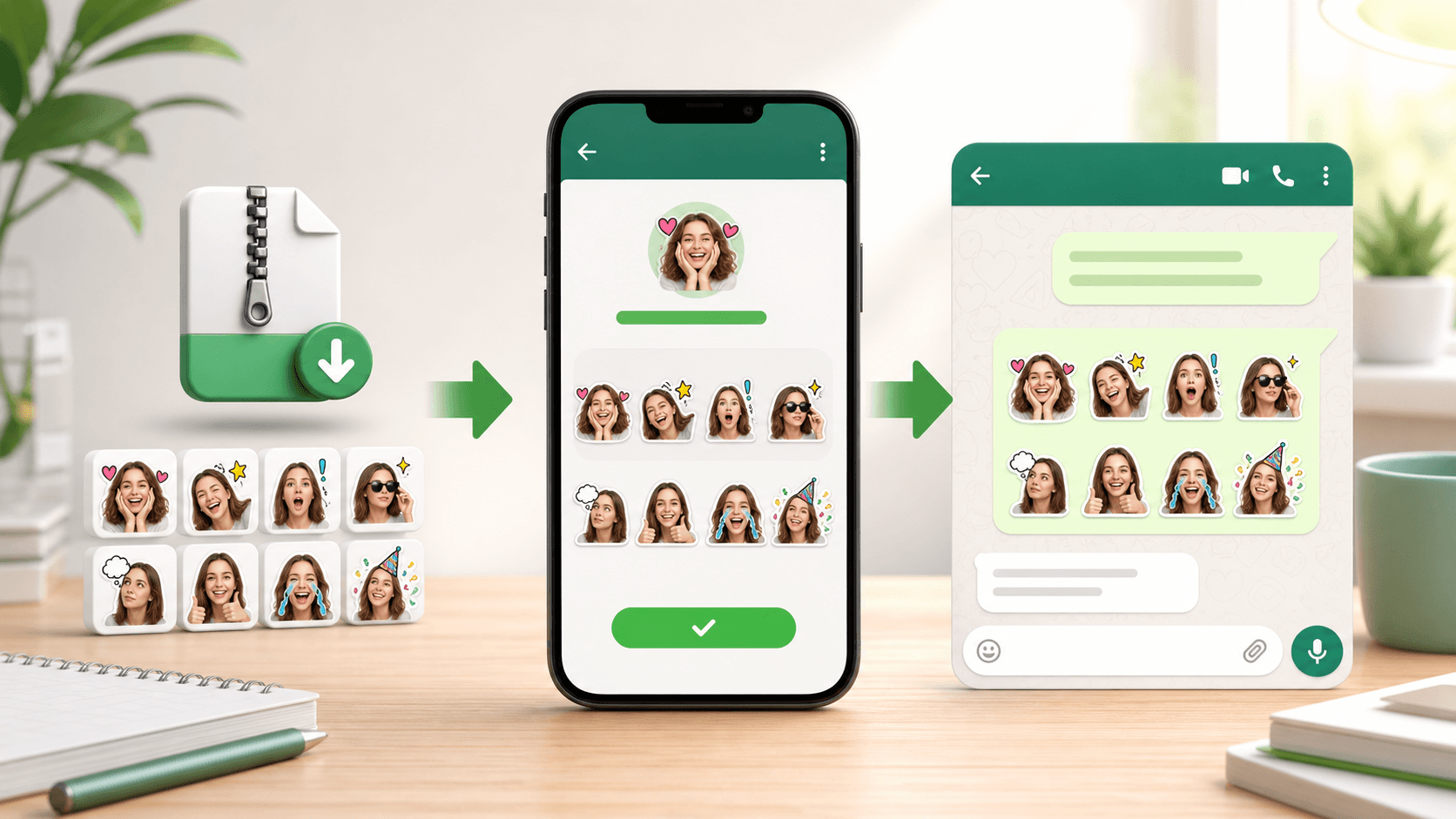
- Download the platform files you need. Consult the WhatsApp import guide for using them there; a PNG or ZIP is not an automatic installation.
An account has three free AI uses shared across all tools, and free ZIP downloads carry a PhotoToSticker watermark. The optional USD 5.90 purchase unlocks one existing pack or provides one additional successful pack generation. It is a one-time purchase, not unlimited retries or a subscription. Check current pricing and save purchased files within the stated download window.
The studio has no freeform prompt box or manual per-cell drawing editor. A different source or generation can produce a different interpretation, without guaranteeing that a particular marking will be fixed. If the photographed expression is already right, returning to the free cutout may be the better choice.
Questions to settle before you make another version
Will removing the background make my pet look like a cartoon?
No. The instant path separates the subject and adds the chosen outline. It works with the photographed appearance; it does not invent a painted character or new expressions.
Will an AI pack keep every marking exactly?
Do not assume it will. Compare the output with your original, including features that make your own pet distinctive. A recognizable general color scheme can still hide a changed facial patch or ear.
Does touching up the instant PNG improve the AI reference too?
The edge editor updates the instant PNG. AI generation still uses the original reference photo. If the original itself needs a different crop or clearer face, prepare that source separately before selecting it.
Can I send either result as a messaging sticker immediately?
Saving an image and adding it to an app's sticker collection are separate steps. Follow the relevant import guide and check the result in the app. This guide compares static images; it does not demonstrate animated stickers.
Ready to choose? Start with one photo in the sticker studio, or inspect the real examples in the gallery. Once you know you want a full pack, the reaction-planning guide helps you make the next decision.