1
Anime
Clean line art and controlled cel shading.
One portrait, four fixed AI avatar styles
This avatar maker generates Anime, 3D, Cartoon, and Illustration profile images from one permitted portrait. It aims to preserve face shape, features, skin tone, hairstyle, and apparent age across all four styles. The result is an avatar set, not reactions, emotes, sticker cutouts, or an invented identity.
Generate with the avatar maker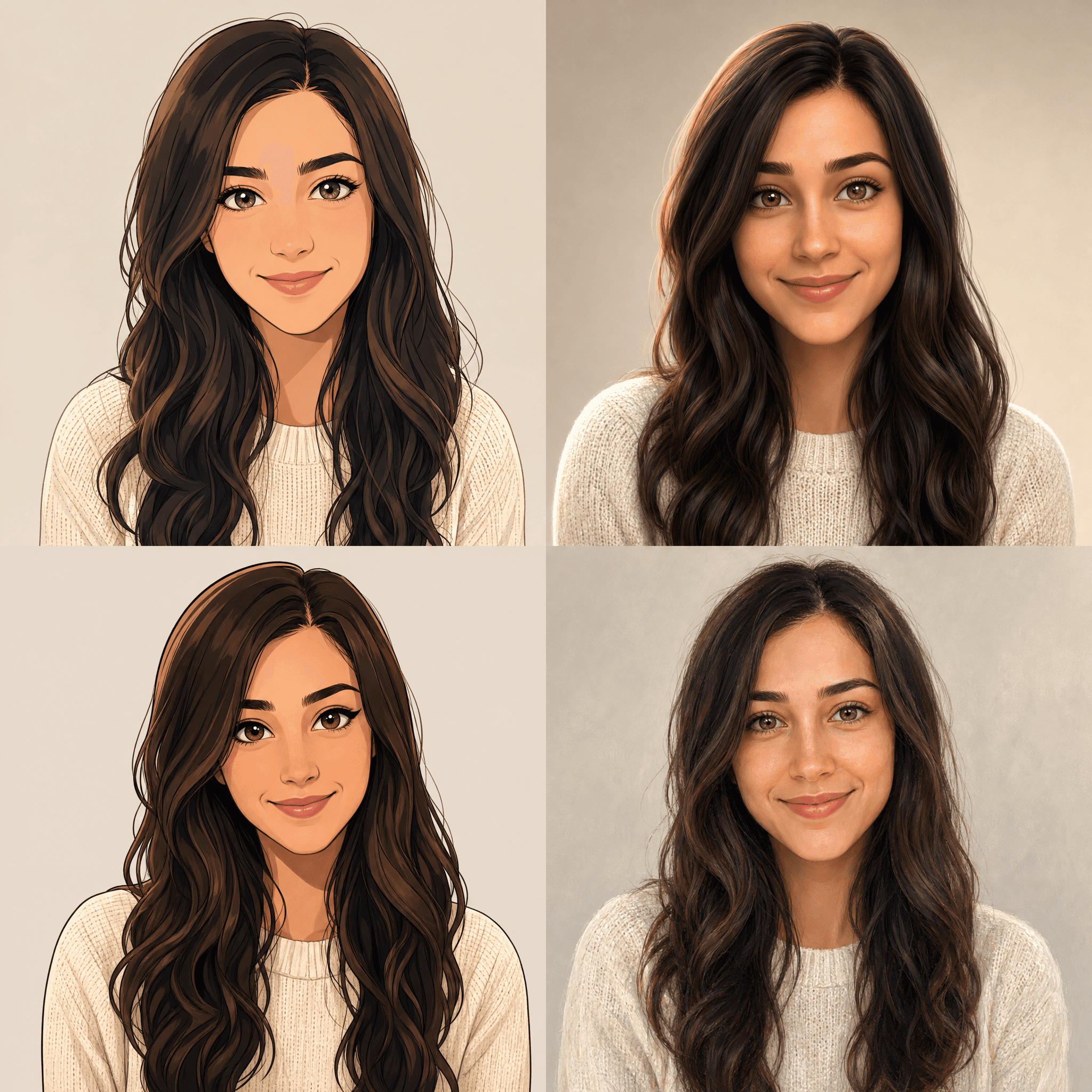
Generate a dedicated set of profile portraits
Upload one clear JPG, PNG, or WebP portrait. One isolated AI job creates all four fixed styles—Anime, 3D, Cartoon, and Illustration—in a 2 × 2 sheet, then splits it into four separate square PNG files.
Use a well-lit JPG, PNG, or WebP with one visible face and shoulders. Maximum file size: 15 MB.
1
Anime
Clean line art and controlled cel shading.
2
3D
Soft studio light and dimensional materials.
3
Cartoon
Confident shapes and expressive linework.
4
Illustration
Refined color, texture, and editorial detail.
Four clear files from one request
A successful request generates one four-style sheet from the uploaded person, then the server separates its fixed quadrants into four PNG files. Compare identity, art direction, and head-and-shoulders crop before saving a result.
Each candidate is an independent 1024 × 1024 PNG. A destination may still mask, resize, or compress it.
The portrait uploads only when you press Generate. It is safety-checked and sent to the configured image provider.
Generated art can vary even with identity-preserving instructions. Results are creative images, not official photos or identity verification.
A focused three-step flow
Provide one identity reference, generate all four fixed art directions, then compare four separate downloads.
Choose a permitted JPG, PNG, or WebP with one visible face, even light, and clear hair and shoulders. Maximum size is 15 MB.
One request creates Anime line art, dimensional 3D, expressive Cartoon, and textured Illustration in fixed quadrants while keeping the same person.
Check face shape, hair, crop, and small-size clarity. Download candidates separately and test the destination preview.
Where a generated portrait fits
Compare art directions without reactions or platform emotes. Keep the original photo when a service requires a conventional headshot.
Choose a square portrait for messaging, private groups, gaming, or casual profiles. Check the crop before publishing.
Give voluntary member profiles a consistent direction. Obtain permission before uploading another person's photo.
Prepare a portrait for a channel, newsletter, portfolio, podcast, or byline. It does not represent verification or endorsement.
Input, generation, and delivery checklist
A strong reference improves consistency, but the model and destination still affect appearance.
AI portrait workflow questions
Understand input, files, privacy, destination crops, and identity limits.
Use a permitted portrait with one clear face, hair, and shoulders. Balanced light and a centered subject provide a stronger reference.
You receive four separate 1024 × 1024 PNG files: Anime, 3D, Cartoon, and Illustration. The provider creates one internal 2 × 2 sheet, but the page automatically splits it and gives each style its own download.
The file uploads only after you start generation, for safety checking and image creation. Submit only photos you may process.
No. Services may mask, resize, crop, or compress it. Leave space around the head and check the destination preview.
No model guarantees an exact match. Reject candidates that change important facial, skin-tone, hair, or age details.
Continue with the right kind of output
Use this page for profile portraits. Choose another tool for chat reactions, creator emotes, or photo stickers.
Bring one permitted portrait, generate all four fixed styles, compare the candidates, and save only results that still look like you.
Open the avatar maker